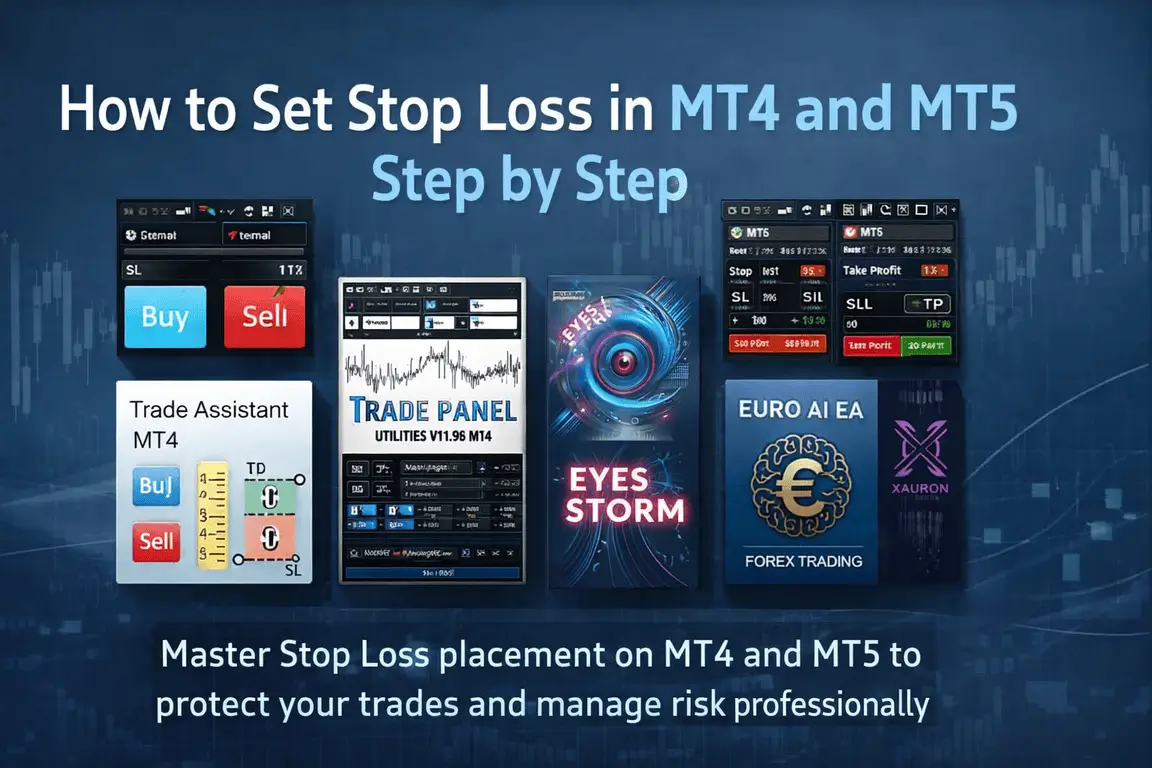
How to Set Stop Loss in MT4 and MT5 ?
If you want to survive in forex trading long enough to become profitable, learning how to set Stop Loss in MT4 and MT5 is not optional. It is one of the most important skills any trader can develop. A Stop Loss protects your trading account, controls emotional decisions, and helps you manage risk before a trade even begins. In this guide, you will learn exactly how to set Stop Loss in MT4 and MT5 step by step, why it matters, where to place it, and how to use it wisely whether you are a complete beginner or a more experienced trader looking to sharpen your execution.
➡️ Telegram Support: Join for updates, announcements, and support
What Is a Stop Loss in Forex Trading?
A Stop Loss is an order you place to automatically close your trade when price reaches a specific level against your position. Its purpose is simple: limit your loss.
For example, if you buy EURUSD and the market starts moving down instead of up, your Stop Loss can close the trade at a pre-defined price so the loss does not keep growing. Without a Stop Loss, one bad move can become far more expensive than expected.
This is why experienced traders treat Stop Loss as a basic part of every trade plan. They do not enter trades first and think about risk later. They decide risk first, then place the trade.
Why Stop Loss Matters So Much
Many beginners focus only on entries. They spend hours trying to find the perfect strategy, indicator, or setup. But the truth is simple: even a good entry can fail. Markets are not predictable all the time. News can hit, spreads can widen, volatility can increase, and price can reverse without warning.
A Stop Loss helps you:
-
Protect your capital
-
Control maximum loss per trade
-
Reduce emotional decision-making
-
Trade with a clearer plan
-
Stay in the market longer
-
Avoid account-damaging mistakes
In other words, Stop Loss is not just a technical tool inside MT4 or MT5. It is part of the mindset of disciplined trading.
Best Stop loss Protection EAs 2026
Setting a Stop Loss manually is an important trading skill, but the right Expert Advisor or trade management tool can make the whole process faster, cleaner, and more consistent. If you trade on MT4 or MT5, using a specialized tool can help you control risk better, reduce emotional mistakes, and keep your execution more professional.
Below are some useful tools that fit this blog topic well, especially if you care about risk management, Low Drawdown, easier execution, and more structured trade handling.
Trade Assistant MT4
>>== Download Trade Assistant MT4 ==<<
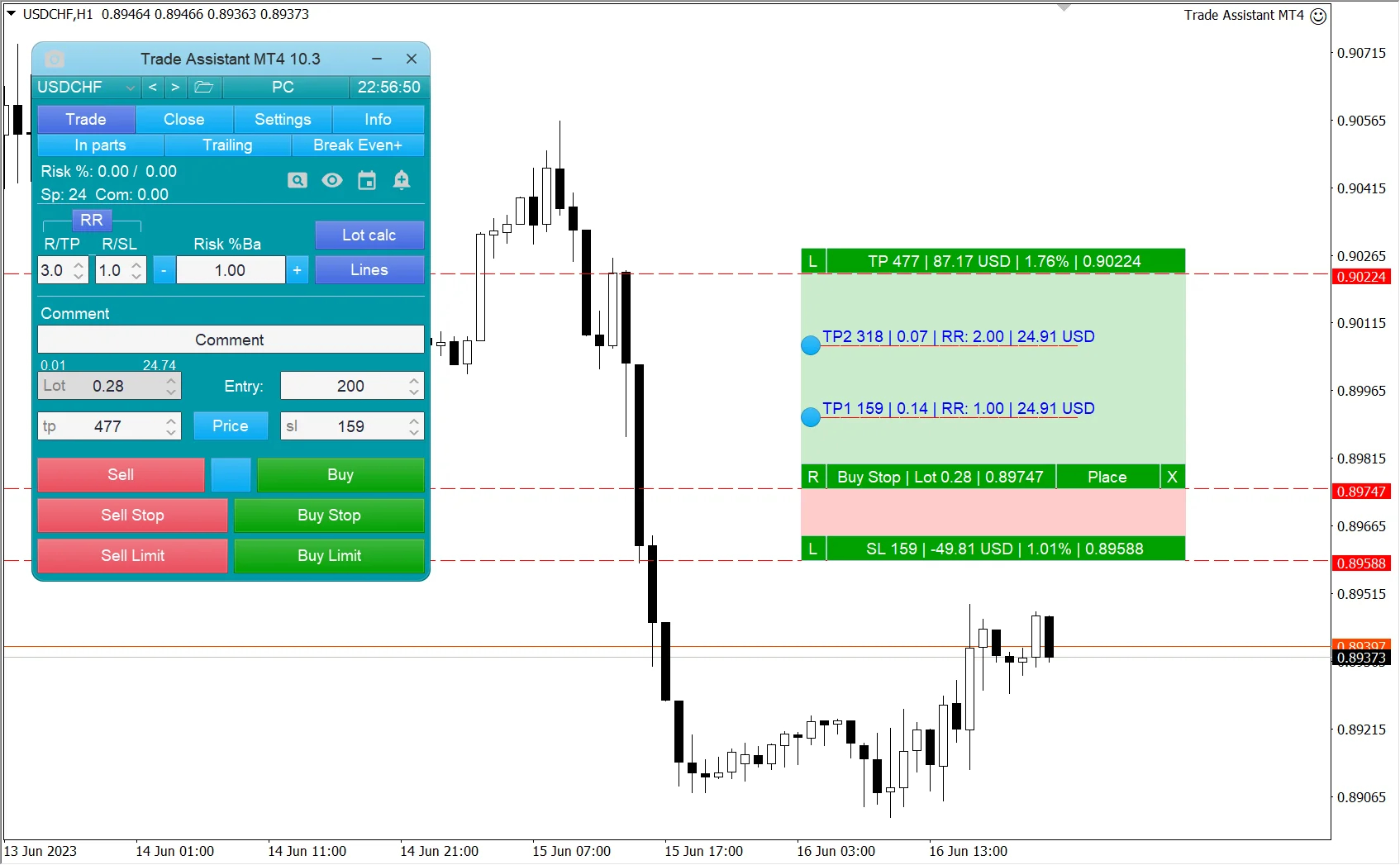
If your main goal is to improve how you place and manage Stop Loss in MT4, Trade Assistant MT4 is one of the most relevant tools to mention. It is built as a manual trading assistant and includes advanced risk management, automatic transaction volume calculation based on your risk settings and Stop Loss size, position management, and multiple customizable trailing stop modes. It also supports market and pending order handling through a graphic panel, which makes execution much easier for traders who want more control without unnecessary complexity.
1. Why it fits this blog:
This tool is ideal for traders who already understand the basics of Stop Loss but want a more practical way to apply them in live trading. Instead of guessing lot size or adjusting trade levels manually every time, you can manage risk with more structure. For beginners, that means fewer mistakes. For experienced traders, that means faster execution.
2. SL Score: 9.5/10
Because it directly focuses on risk management, Stop Loss-based position sizing, and trailing stop control, this is one of the strongest matches for a blog about how to set Stop Loss in MT4.
3. Why a reader may want to buy it:
If someone trades manually and wants to become more disciplined, this is not just another tool — it is the kind of MT4 Expert Advisor that can help turn loose execution into a real trading process.
TradePanel MT4
>>== Download TradePanel MT4 ==<<
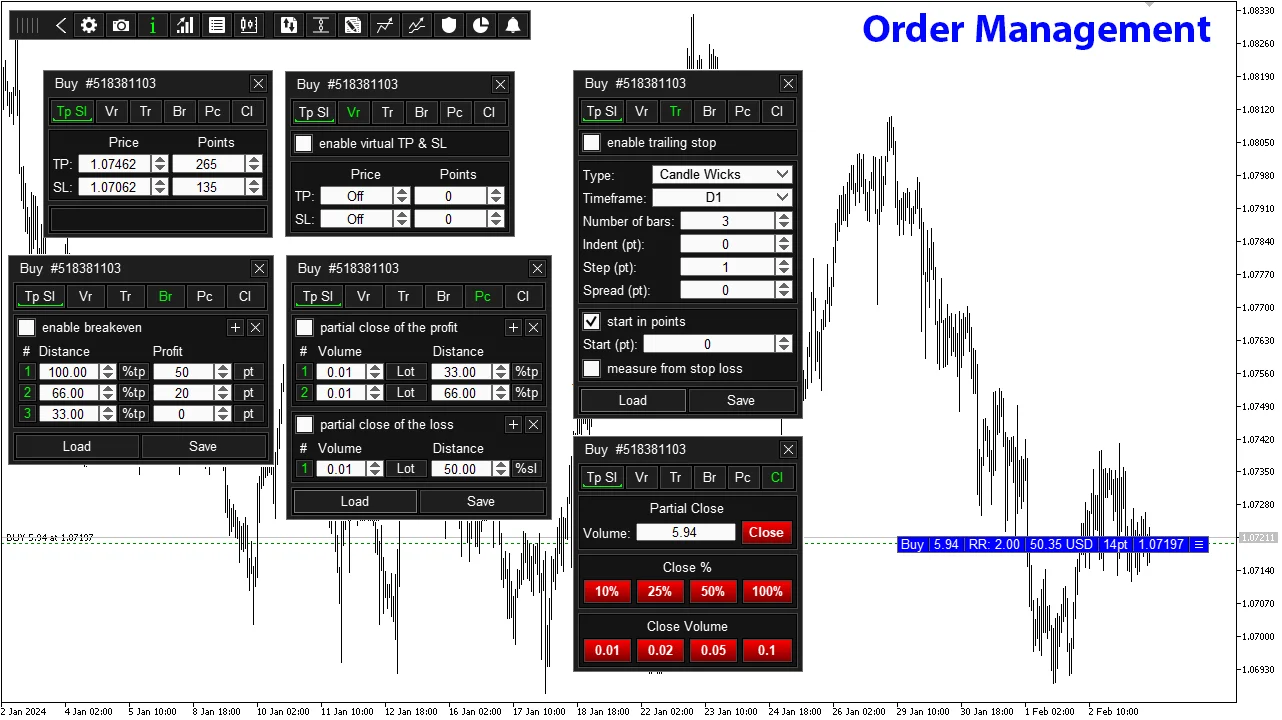
TradePanel MT4 is another excellent match for this blog because it is a trading assistant with more than 50 features designed to automate much of the manual trading process. Its features include one-click trading operations, grid order creation, instant position management, setting a common Stop Loss and Take Profit across positions, and moving Stop Loss to break even for all positions.
1. Why it fits this blog:
A lot of traders understand what Stop Loss is, but they struggle with fast execution, multi-position control, or adjusting several trades in real time. TradePanel MT4 solves that pain point. It helps traders apply Stop Loss logic more efficiently, especially when managing more than one order.
2. SL Score: 9/10
Its Stop Loss tools are strong, especially for manual execution and practical trade control inside MT4.
3. Why a reader may want to buy it:
If someone wants a smoother workflow, faster order handling, and a cleaner way to manage trades without doing everything manually, this tool adds real convenience. It is especially attractive for traders who want pro-style control without making their chart setup complicated.
Eyes Storm MT5
>>== Download Eyes Storm MT5 ==<<
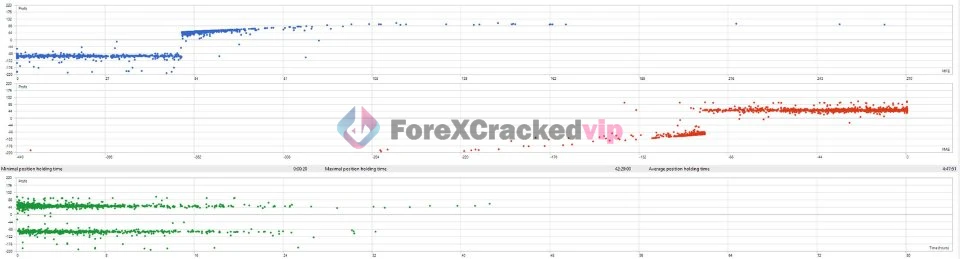
Eyes Storm MT5 is an automated Expert Advisor for MT5 designed around trend-based trading. According to the product page, it uses price action behavior, trend direction, engulfing candle detection, dynamic Stop Loss adjustments, and trend filtering to manage trades automatically. It is also listed under Low Drawdown EA, with the review title highlighting 15% Max Drawdown.
1. Why it fits this blog:
This tool is highly relevant because it takes the Stop Loss topic beyond manual trading and shows readers how automated systems can handle risk in a structured way. If someone reads your blog and realizes they want a robot that already includes disciplined risk logic, this is a strong option.
2. SL Score: 8.8/10
The dynamic Stop Loss adjustment and trend filtering make it a good choice for traders who care about safer automation and more controlled entries.
3. Why a reader may want to buy it:
Many traders lose money because they open trades emotionally and manage them inconsistently. A system like this can appeal to readers who want an MT5 Expert Advisor with a more rules-based style, especially if they are looking for a Low Drawdown solution instead of aggressive overtrading.
Euro AI EA MT5
>>== Download Euro AI EA MT5 ==<<
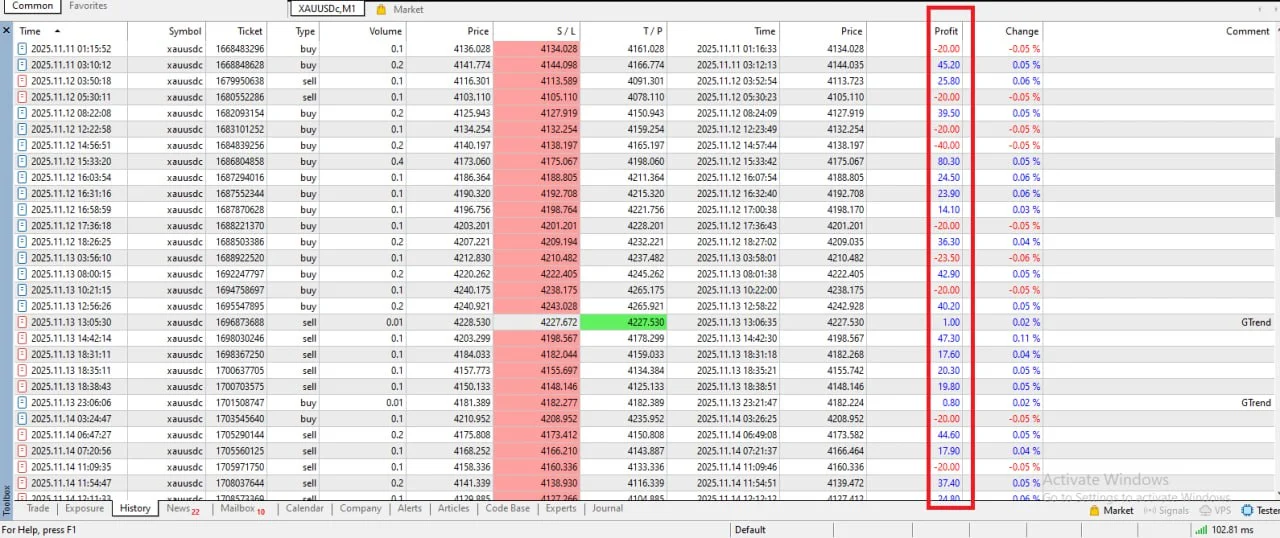
Euro AI EA MT5 is positioned as a smart XAUUSD trading robot for MT5 with real Myfxbook verification, a trend-based strategy, controlled martingale, low drawdown, and profit protection features. The product page specifically mentions breakeven protection, dynamic trailing stops, and partial profit locking, along with live Myfxbook tracking.
1. Why it fits this blog:
This is a strong promotion angle because your article is about Stop Loss and risk control, and this EA is clearly marketed around those ideas. It helps bridge the gap between beginner-level Stop Loss education and the more advanced question readers often ask next: “What tool can help me trade with more structure?”
2. SL Score: 9.2/10
The combination of breakeven protection, dynamic trailing stops, and capital preservation features makes it one of the stronger choices for traders who want automated risk handling on MT5.
3. Why a reader may want to buy it:
The presence of Myfxbook verification adds trust, and the focus on Low Drawdown-style thinking makes it more appealing than random high-risk robots. For readers interested in gold automation, this tool sounds much more serious than a typical EA built around hype alone.
XAURON EA MT5
>>== Download XAURON EA MT5==<<
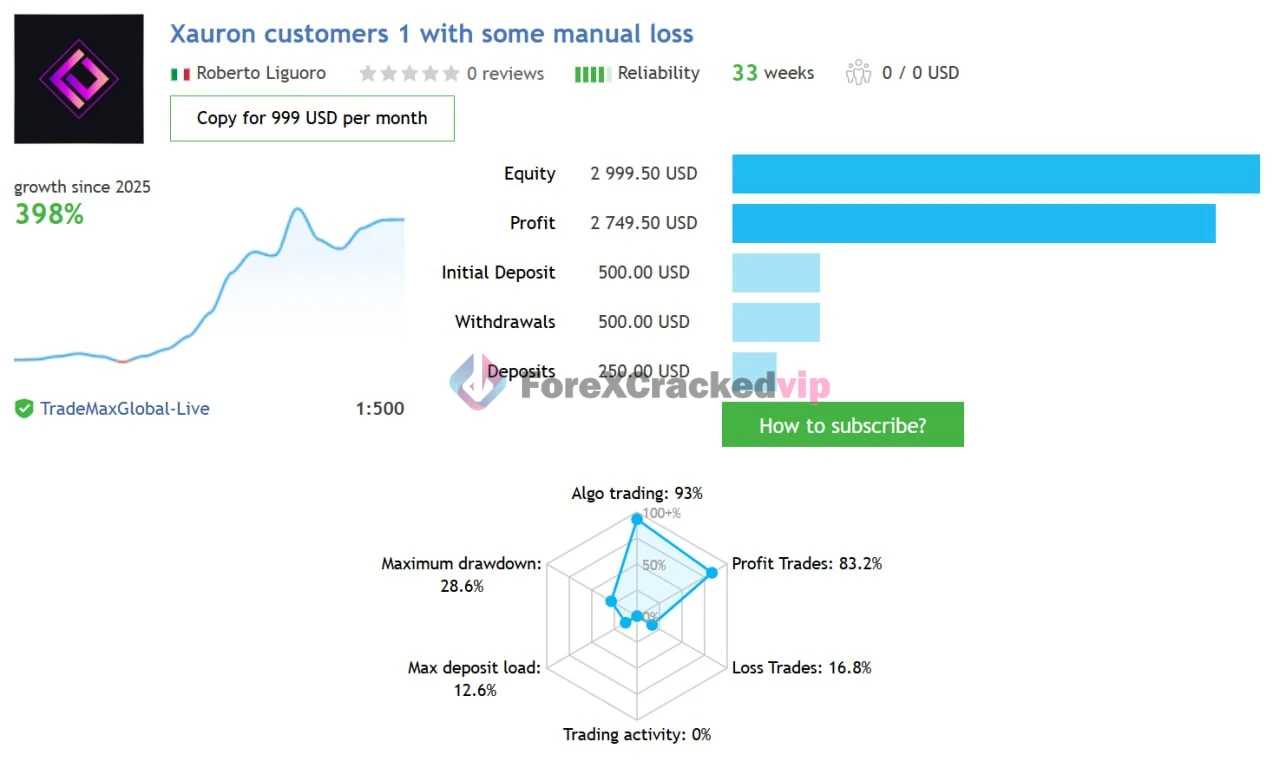
XAURON EA MT5 is a premium MetaTrader 5 Expert Advisor for automated XAUUSD trading. The product page describes it as a breakout-focused system using volume confirmation, adaptive execution, fixed Stop Loss, Take Profit, intelligent trailing stop, and broker-sensitive execution logic. It is also presented as a structured, professional approach to gold trading automation.
1. Why it fits this blog:
This one matches your Stop Loss article extremely well because it speaks directly to structured risk. Some EAs sound impressive but say almost nothing about risk control. XAURON specifically mentions fixed Stop Loss and trailing stop logic, which makes it much easier to connect to your blog topic naturally.
2. SL Score: 9.3/10
A fixed Stop Loss plus intelligent trailing stop is a strong combination, especially for traders who want more disciplined MT5 automation on gold.
3. Why a reader may want to buy it:
If someone reading your article is interested in gold trading but wants a system that sounds more controlled than reckless, this is a strong conversion fit. It gives the impression of a serious Expert Advisor rather than a random bot chasing oversized gains.
Which Tool Is Best for Stop Loss Management?
The best choice depends on what kind of trader the reader is:
-
Trade Assistant MT4 – best for manual traders who want direct Stop Loss-based risk control
-
TradePanel MT4 – best for traders who want faster execution and easier bulk trade handling
-
Eyes Storm MT5 – best for trend traders looking for automated Low Drawdown logic
-
Euro AI EA MT5 – best for gold traders who value Myfxbook, profit protection, and safer automation
-
XAURON EA MT5 – best for breakout-focused gold traders who want fixed Stop Loss discipline
MT4 vs MT5: Is Setting Stop Loss Different?
The good news is that the logic is almost the same on both platforms.
Both MetaTrader 4 (MT4) and MetaTrader 5 (MT5) allow you to place a Stop Loss when opening a trade and also modify it later after the trade is active. The interface looks a little different depending on your broker and platform theme, but the general process is very similar.
You can usually set Stop Loss in these two ways:
-
Before opening the trade
-
After the trade is already open
Both methods are useful, and every trader should know how to do both.
Before You Set a Stop Loss, Understand This First
A Stop Loss should never be random.
Many beginners make one of these mistakes:
-
putting it too close just because they want a small loss
-
placing it at an arbitrary number of pips
-
setting it without checking market structure
-
moving it farther away after price goes against them
A good Stop Loss is based on logic, not hope.
That logic usually comes from one or more of these:
-
recent swing high or swing low
-
support and resistance
-
candle structure
-
volatility
-
session behavior
-
strategy rules
-
risk percentage per trade
So yes, this article teaches you how to physically place the Stop Loss in MT4 and MT5 step by step, but the real edge comes from knowing where to put it and why.
How to Set Stop Loss in MT4 Step by Step
Let’s start with MT4.
📌 Method 1: Set Stop Loss Before Opening the Trade in MT4
This is the cleanest method because your risk is defined before the trade starts.
Step 1: Open MT4
Launch your MetaTrader 4 platform and log into your trading account.
Step 2: Choose the Currency Pair or Instrument
Open the chart of the pair you want to trade, such as EURUSD, GBPUSD, XAUUSD, or any other market your broker offers.
Step 3: Click “New Order”
You can do this in several ways:
-
-
-
click the New Order button on the top toolbar
-
press F9
-
right-click the chart and select Trading > New Order
-
-
This opens the order window.
Step 4: Enter Your Trade Details
In the order window, you will usually see:
-
-
-
Symbol
-
Volume
-
Stop Loss
-
Take Profit
-
Comment
-
Type
-
-
Choose your trade size in the Volume field.
Step 5: Enter the Stop Loss Price
In the Stop Loss field, type the exact price where you want the trade to close if the market moves against you.
Here is the key idea:
-
-
-
If you are opening a buy trade, your Stop Loss should be below the current price
-
If you are opening a sell trade, your Stop Loss should be above the current price
-
-
Example:
-
-
-
EURUSD current price: 1.1000
-
You place a buy trade
-
You want to risk 20 pips
-
Your Stop Loss might be 1.0980
-
-
Step 6: Double-Check Everything
Before placing the trade, review:
-
-
-
trade direction
-
volume size
-
Stop Loss level
-
Take Profit if using one
-
-
Step 7: Click Buy or Sell
Now place the order.
Once the trade is open, your Stop Loss will already be attached.
📌 Method 2: Set Stop Loss After Opening the Trade in MT4
Sometimes traders enter fast and add the Stop Loss immediately after. This is common during quick market conditions, although setting it before entry is usually safer.
Step 1: Open the Terminal Window
At the bottom of MT4, find the Terminal window. If it is not visible, press Ctrl + T.
Step 2: Go to the Trade Tab
Inside the Terminal window, click the Trade tab. You will see your active trades.
Step 3: Right-Click the Open Trade
Find the position you want to modify. Right-click it and choose:
Modify or Delete Order
Step 4: Enter Your Stop Loss Price
A new window will appear. In the Stop Loss field, enter the price level where you want the trade to close.
Step 5: Click Modify
After entering the correct Stop Loss, click the Modify button.
Your Stop Loss is now active.
How to Set Stop Loss in MT5 Step by Step
Now let’s look at MT5. The workflow is very similar, but the platform layout may feel slightly more modern.
📌 Method 1: Set Stop Loss Before Opening the Trade in MT5
Step 1: Open MT5
Launch MetaTrader 5 and log into your account.
Step 2: Open the Market Chart
Choose the chart you want to trade.
Step 3: Open the New Order Window
You can:
-
-
-
click New Order
-
press F9
-
right-click the chart and choose Trading > New Order
-
-
Step 4: Enter Lot Size and Trade Details
You will see the order ticket window with fields like:
-
-
-
Symbol
-
Volume
-
Stop Loss
-
Take Profit
-
Type
-
-
Step 5: Enter the Stop Loss Price
Type your Stop Loss level in the SL or Stop Loss field.
Remember:
-
-
-
For a buy, Stop Loss goes below entry
-
For a sell, Stop Loss goes above entry
-
-
Step 6: Confirm and Place the Trade
Click Buy or Sell after checking everything carefully.
Your Stop Loss will now be linked to the position from the start.
📌 Method 2: Set Stop Loss After Opening the Trade in MT5
Step 1: Open the Toolbox
At the bottom of MT5, open the Toolbox window. If it is hidden, press Ctrl + T.
Step 2: Go to the Trade Section
In the Toolbox, find your active position under the Trade tab.
Step 3: Right-Click the Position
Right-click the trade you want to edit.
Step 4: Choose Modify or Edit
Depending on the version or broker interface, choose the option to modify the position.
Step 5: Enter the Stop Loss Value
Type your desired Stop Loss level in the Stop Loss field.
Step 6: Confirm the Modification
Click the confirmation button to save the Stop Loss.
That is it. Your MT5 trade now has a Stop Loss attached.
How to Set Stop Loss Directly from the Chart
Both MT4 and MT5 often allow Stop Loss adjustments directly from the chart if one-click trading and trade levels are enabled.
This can be very useful because it lets you visually place and move the level.
General Process
-
Open a trade
-
Make sure trade levels are visible on the chart
-
Find the horizontal line for your open trade
-
Drag the Stop Loss line to your chosen level
-
Confirm the change
This visual method is fast and practical, especially for traders who think in chart structure rather than raw price numbers. But be careful. Dragging levels quickly without checking exact price can create mistakes. Precision still matters.
How to Choose the Right Stop Loss Level
Knowing how to click the Stop Loss field is easy. Knowing where to place it is what separates random trading from disciplined trading. Here are the most common ways to choose a Stop Loss level.
1. Below Swing Low or Above Swing High
This is one of the most popular and reliable methods.
-
-
For a buy trade, place Stop Loss below the recent swing low
-
For a sell trade, place Stop Loss above the recent swing high
-
Why it works:
If price breaks that structure, your trade idea may no longer be valid.
This method is great because it is based on actual market behavior.
2. Support and Resistance
If you are buying near support, your Stop Loss usually goes below that support area. If you are selling near resistance, your Stop Loss usually goes above that resistance level. This gives the market some room to move while still protecting you if the level fails.
3. Volatility-Based Stop Loss
Some traders use market volatility to set wider or tighter stops.
For example, during high volatility:
-
-
gold may need a wider Stop Loss
-
GBP pairs may need more space
-
news sessions may create spikes
-
If your Stop Loss is too tight during volatile conditions, you may get stopped out even when your trade direction was correct.
4. Fixed Pip Stop Loss
Some traders use fixed pip levels like:
-
-
10 pips
-
20 pips
-
30 pips
-
50 pips
-
This is simple, but it has a weakness. Not every market moves the same way. A 20-pip stop may be too wide for one pair and too tight for another. Fixed pip stops can work, but they are stronger when combined with chart logic.
5. Percentage Risk-Based Stop Loss
This is where risk management becomes more advanced. Instead of choosing Stop Loss first, some traders decide:
“I only want to risk 1% of my account on this trade.”
Then they calculate the correct lot size based on their Stop Loss distance. This is a much smarter approach than using the same lot size on every trade. It keeps risk consistent even when trade setups are different.
Example of a Smart Stop Loss Process
Let’s say you have a $1000 trading account.
You decide to risk 1% per trade, which is $10.
You find a buy setup on EURUSD. The logical Stop Loss level based on swing structure is 25 pips away.
Now instead of forcing a large lot size, you adjust the lot so that a 25-pip loss equals about $10.
This keeps your risk controlled.
That is how professional thinking starts: Stop Loss placement first, position size second.
Common Mistakes Traders Make with Stop Loss
A lot of traders technically use Stop Loss, but still use it badly. Here are some of the most common mistakes.
Putting Stop Loss Too Close
This happens when traders want to reduce loss so much that they place the stop in normal market noise. Then price taps the stop, closes the trade, and moves in the original direction.
A Stop Loss should protect the trade, not suffocate it.
Putting Stop Loss Too Far
The opposite mistake is giving the trade too much room. This creates larger losses and can destroy the risk-to-reward balance.
Wider is not always smarter.
Moving Stop Loss Further Away
This is one of the most dangerous habits in trading.
A trader enters a trade, price moves against them, and instead of accepting the planned loss, they move the Stop Loss farther away. Then the small controlled loss becomes a large emotional one.
This is not risk management. It is denial.
Trading Without Any Stop Loss
Some traders avoid Stop Loss because they have been “hunted” before, or because they believe price will eventually come back. That mindset works until the day it does not.
One strong move can wipe out weeks or months of progress.
Ignoring Spread and Volatility
Your Stop Loss must account for actual market behavior. Tight stops during active sessions, news events, or on volatile pairs often fail because they ignore real conditions
Should Every Trade Have a Stop Loss?
In most practical retail trading situations, yes.
There are rare strategy-specific exceptions, but for the vast majority of traders, especially beginners and intermediate traders, every trade should have a Stop Loss or a very clearly defined emergency exit rule.
Without one, you are relying too much on hope, speed, and manual reaction.
That is not a strong long-term trading plan.
Stop Loss vs Mental Stop Loss
A hard Stop Loss is placed on the platform and executes automatically.
A mental Stop Loss means you plan to close the trade manually if price reaches a certain level.
In theory, mental stops sound flexible. In reality, many traders fail to execute them properly. Emotion gets involved. They hesitate, wait andrationalize.
That is why platform-based Stop Loss is usually better, especially for beginners.
A hard Stop Loss gives you:
-
automation
-
discipline
-
consistency
-
protection when you are away from the screen
Can You Move Stop Loss to Break Even?
Yes, but it should be done with a reason.
Moving Stop Loss to break even means adjusting it to your entry price after the trade moves in your favor. This removes the initial risk from the trade.
This can be smart when:
-
price has moved enough to justify protection
-
the market has confirmed your direction
-
your strategy includes break-even rules
But doing it too early can also be a mistake. Many trades need room to breathe before making the next move.
So break even is useful, but it should not be automatic in every situation.
Can You Use Trailing Stop in MT4 and MT5?
Yes. Both MT4 and MT5 support Trailing Stop features.
A trailing stop moves your Stop Loss automatically as price moves in your favor. This can help lock in profit while allowing the trend to continue.
For example:
-
You buy a pair
-
Price rises
-
The trailing stop follows at a set distance
-
If price reverses enough, the trade closes with protected profit
Trailing stops can be useful, but they are not magic. If set too tight, they can close trades too early. If set too wide, they may protect less than expected.
They work best when they match the behavior of the instrument and the style of the strategy.
Step-by-Step Logic for Beginners Before Every Trade
If you are new and want a simple way to think about Stop Loss, use this checklist before opening any trade.
📌 Ask Yourself These Questions
1. Why am I taking this trade? – You need a real setup, not a random feeling.
2. At what price is my trade idea clearly wrong? – That is often where your Stop Loss belongs.
3. How much money am I willing to lose if I am wrong? – Set that number before entering.
4. Is my lot size appropriate for this Stop Loss distance? – Never ignore this step.
5. Does the risk make sense compared to the reward? – A trade with a huge Stop Loss and tiny profit target is often not attractive.
This habit alone can dramatically improve decision-making.
Practical Example: Buy Trade Stop Loss
Imagine GBPUSD is in an uptrend. Price pulls back to support and forms a bullish candle.
You want to buy.
Instead of placing the Stop Loss randomly, you look at the chart and see the recent swing low below support. That low is the point where the bullish setup would likely fail.
So you place your Stop Loss slightly below that low.
This gives your trade a logical structure-based exit.
Practical Example: Sell Trade Stop Loss
Now imagine XAUUSD is rejecting a resistance level and showing bearish momentum.
You want to sell.
You look left on the chart and find the recent swing high. If price breaks above that level, the sell idea may be invalid.
So your Stop Loss goes just above that swing high.
Again, that is a logical Stop Loss, not an emotional one.
How Experts Think About Stop Loss
Experienced traders do not see Stop Loss as a sign of failure. They see it as a normal business expense.
That mindset matters.
A losing trade with a proper Stop Loss is often a good trade because it followed the plan. A winning trade without risk control can still be a bad trade because it builds dangerous habits.
Professionals focus on process:
-
Was the setup valid?
-
Was the Stop Loss logical?
-
Was the risk controlled?
-
Was execution disciplined?
That is what creates long-term performance.
How Stop Loss Supports Better Psychology
Trading is emotional by nature. Money is on the line. Uncertainty is constant. That is why tools that reduce emotional pressure are so important.
A Stop Loss helps psychologically because it:
-
removes “how bad can this get?” fear
-
makes trade planning clearer
-
prevents panic decisions
-
encourages patience and discipline
-
creates consistency over time
When traders skip Stop Loss, their emotions often become stronger than their strategy.
Best Practices for Using Stop Loss in MT4 and MT5
Here are some practical best practices that make a real difference.
1. Always Set Risk Before Entry – Do not enter first and think later.
2. Use Logical Price Levels – Base Stop Loss on chart structure, not random distance.
3. Match Lot Size to Stop Loss – Do not use oversized positions.
4. Keep Risk Consistent – Many traders use 0.5% to 2% risk per trade depending on experience and account style.
5. Review Stopped-Out Trades – Do not just say “bad luck.” Study whether your Stop Loss placement was logical or too tight.
6. Avoid Constant Manual Adjustments – Too much interference often creates worse outcomes.
7. Respect Market Conditions – Session timing, volatility, and news matter.
MT4 and MT5 Stop Loss Problems Traders Sometimes Face
Sometimes traders try to place a Stop Loss and get errors or strange behavior. Common reasons include:
1. Stop Loss Too Close to Market Price – Many brokers require a minimum distance from the current price.
2. Fast Market Conditions – During volatile moments, prices can move too fast and cause rejection or slippage.
3. Incorrect Decimal Placement – Typing the wrong price format can create mistakes.
4. Symbol Pricing Differences – Some instruments have different point values and decimal formats, especially gold, indices, and crypto CFDs.
This is why it is important to slow down and double-check your numbers before confirming the order.
A Simple Stop Loss Habit That Can Change Your Trading
Here is one small habit that can improve your trading immediately:
Before every trade, say this to yourself:
“Where is my Stop Loss, and why is it there?”
If you cannot answer clearly, you should not be in the trade yet.
That one question forces you to think like a disciplined trader rather than an impulsive one.
Final Thoughts
Learning how to set Stop Loss in MT4 and MT5 step by step is one of the most valuable things a trader can do. The platform side is simple: open the order, enter the Stop Loss price, and confirm. But the real skill goes beyond clicking a button. It comes from understanding risk, market structure, position sizing, and discipline.
For beginners, Stop Loss is your first real line of protection. For experienced traders, it is part of precision and consistency. In both cases, it plays a major role in long-term survival and success.
The traders who last in this market are not always the ones with the most aggressive entries or the fanciest indicators. Very often, they are the ones who know how to control downside, stay calm, and follow a plan.
So whether you trade on MT4 or MT5, build the habit now:
-
define the setup
-
choose the invalidation point
-
set the Stop Loss properly
-
size the position correctly
-
respect the plan
That is how smarter trading starts.
Quick Recap
Here is the simple version:
-
MT4 and MT5 both allow Stop Loss before or after entry
-
Buy trades need Stop Loss below entry
-
Sell trades need Stop Loss above entry
-
The best Stop Loss is based on logic, not emotion
-
Risk management matters more than being right on every trade
-
A Stop Loss protects both your account and your mindset
If you truly want to trade seriously, Stop Loss is not a minor setting. It is one of the foundations of professional behavior in the market.
Frequently Asked Questions (FAQs)
1. How do I set Stop Loss in MT4?
To set Stop Loss in MT4, open the order window, enter your trade details, and add your Stop Loss price in the Stop Loss field before placing the trade. You can also modify an open trade later from the Trade tab.
2. How do I set Stop Loss in MT5?
To set Stop Loss in MT5, open a new order, type your Stop Loss level in the SL field, and place the trade. You can also edit an active position from the Toolbox section after the trade is opened.
3. What is the best Stop Loss strategy in forex trading?
The best Stop Loss strategy depends on your trading style, but many traders place Stop Loss below swing lows for buy trades and above swing highs for sell trades. This helps align risk control with real market structure.
4. Should beginners always use Stop Loss in MT4 and MT5?
Yes, beginners should almost always use Stop Loss in MT4 and MT5. It helps protect trading capital, control losses, and reduce emotional mistakes during fast market conditions.
5. Can I change Stop Loss after opening a trade in MT4 or MT5?
Yes, both MT4 and MT5 allow you to modify Stop Loss after a trade is opened. You can right-click the active trade, choose the modify option, and enter a new Stop Loss level.
6. Why is my Stop Loss not working in MT4 or MT5?
A Stop Loss may not work properly if it is placed too close to the current market price, entered incorrectly, or affected by broker rules and fast-moving market conditions. Always double-check price levels before confirming the order.
7. What is the difference between Stop Loss and Trailing Stop in MT4 and MT5?
A Stop Loss closes the trade at a fixed loss level, while a Trailing Stop moves automatically as the trade goes into profit. A Trailing Stop is often used to protect gains while allowing the trade room to continue.