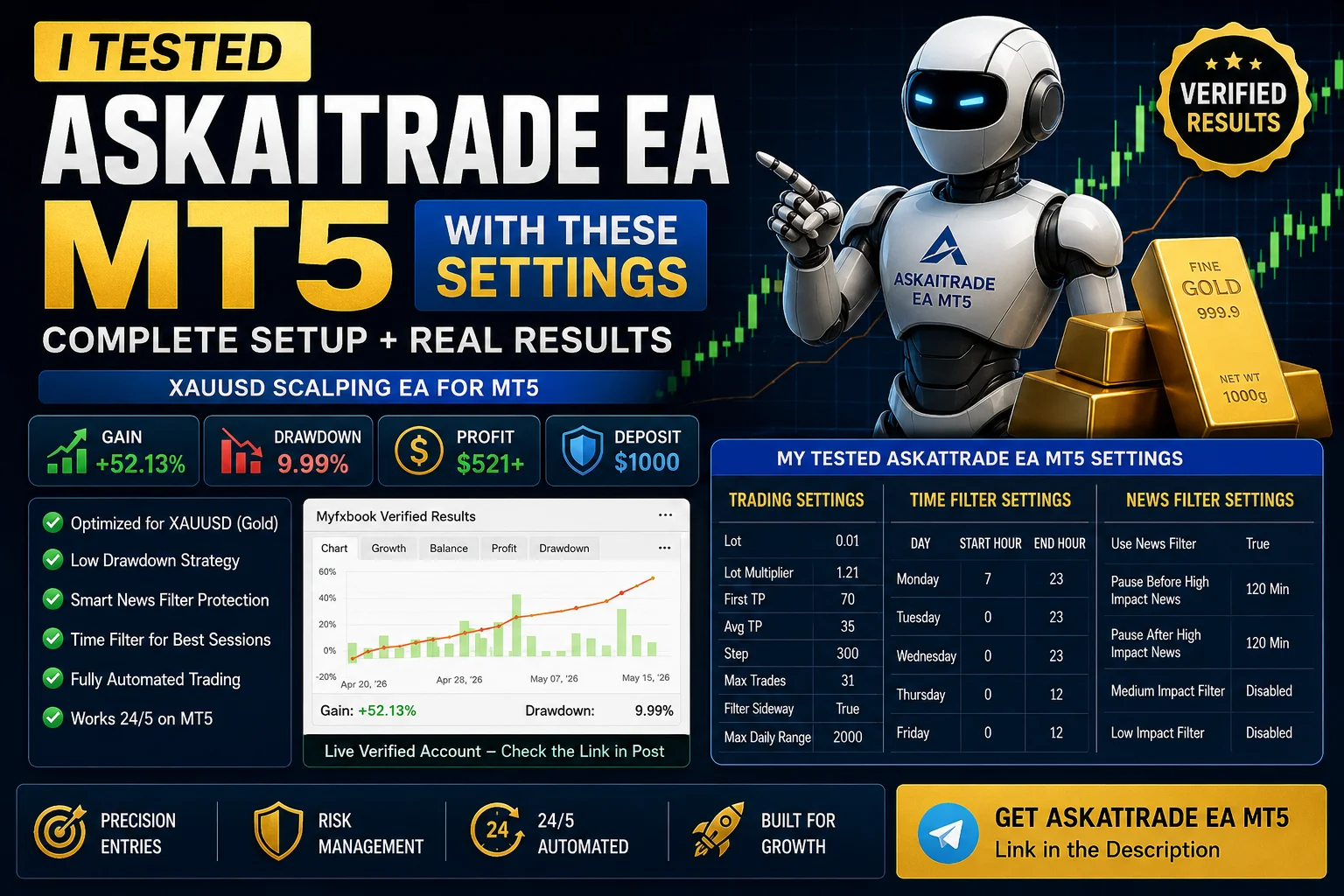
Askaitrade EA MT5 Review
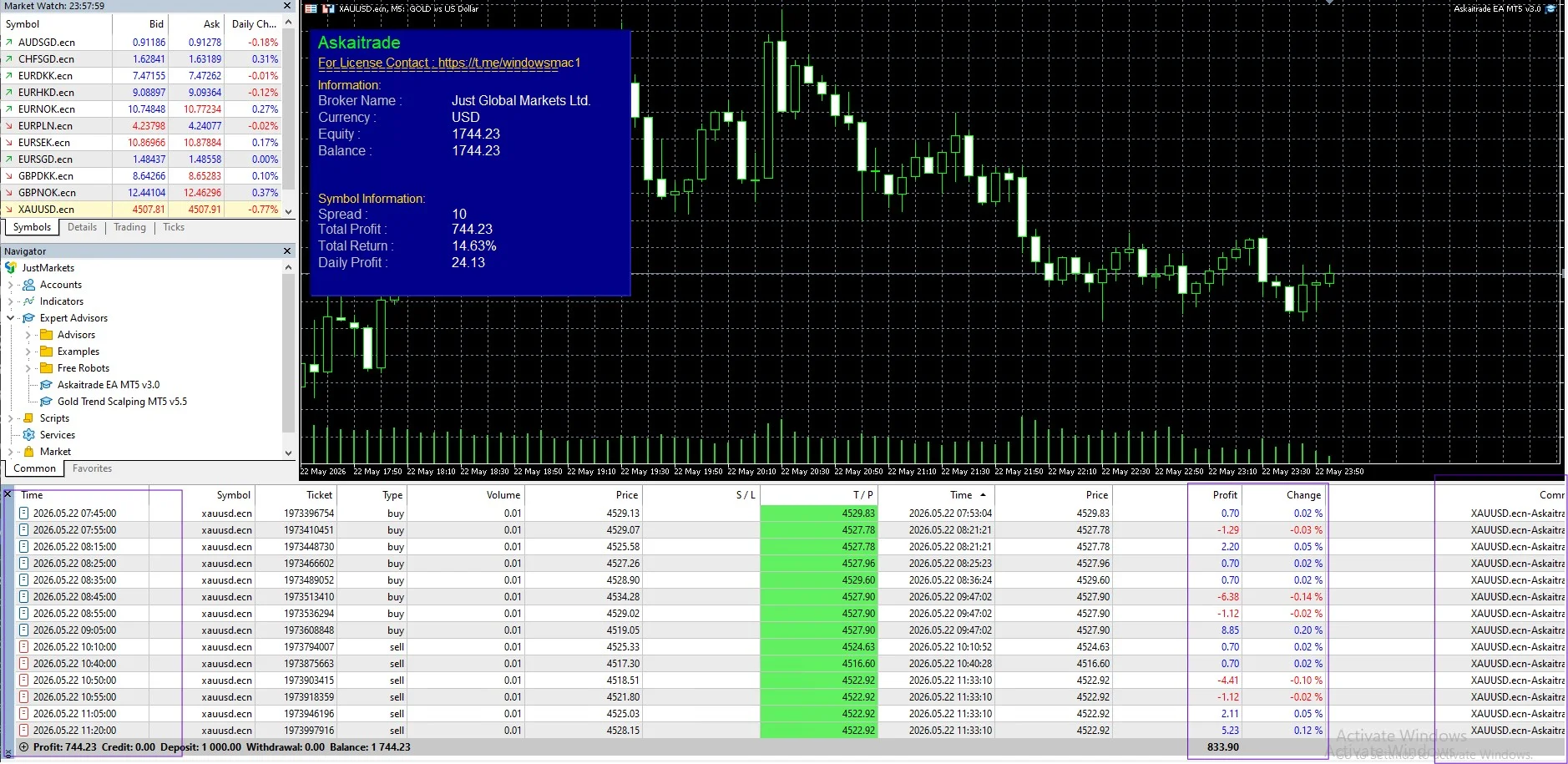
If you are searching for a reliable Gold trading robot for MetaTrader 5, then Askaitrade EA MT5 is one of the trending automated trading systems currently gaining attention among Forex traders. I recently tested this EA on XAUUSD using the recommended settings, and the results were surprisingly stable with controlled drawdown and consistent trading activity.
In this article, I will share:
- My tested Askaitrade EA MT5 settings
- Real trading performance overview
- Recommended broker and leverage
- Best setup for XAUUSD trading
- Important risk management tips
You can check the official product here:
Askaitrade EA MT5
Askaitrade EA MT5 Myfxbook Review – Link
What Is Askaitrade EA MT5?
Askaitrade EA MT5 is an automated Gold scalping Expert Advisor designed for MetaTrader 5. The EA mainly trades XAUUSD on the M5 timeframe and focuses on capturing short-term market movements with smart entry filtering and news protection.
The system includes:
- Sideway market filter
- Time session filters
- News filter protection
- Dynamic lot multiplier
- Grid recovery system
- Automated Take Profit management
This makes it suitable for traders looking for a fully automated Gold trading strategy.
My Tested Askaitrade EA MT5 Settings
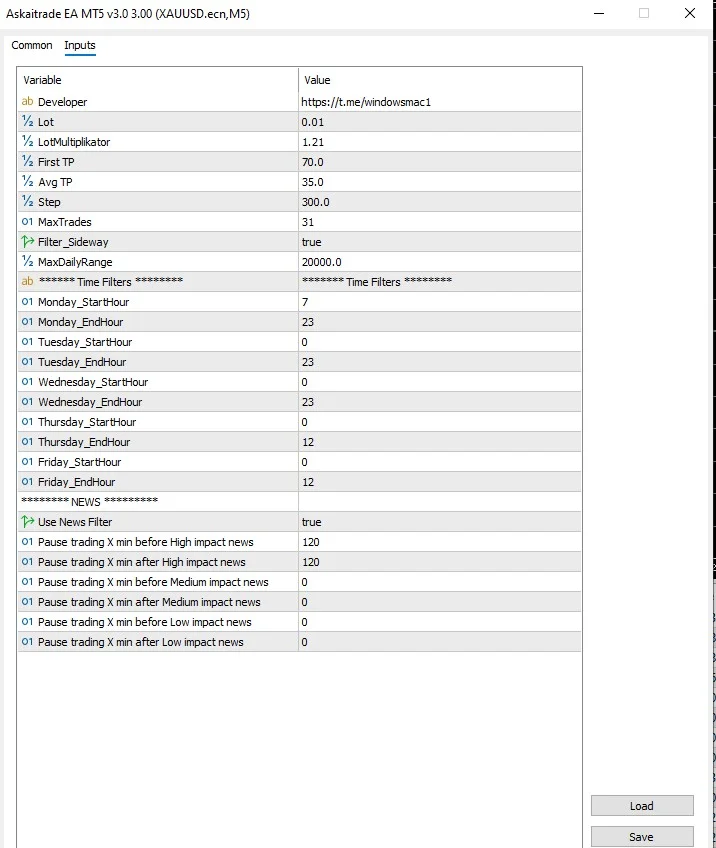
Here are the exact settings I used during my test:
Trading Settings
| Setting | Value |
|---|---|
| Lot Size | 0.01 |
| Lot Multiplier | 1.21 |
| First TP | 70 |
| Average TP | 35 |
| Step | 300 |
| Max Trades | 31 |
| Filter Sideway | True |
| Max Daily Range | 2000 |
Time Filter Settings
Monday
- Start Hour: 7
- End Hour: 23
Tuesday
- Start Hour: 0
- End Hour: 23
Wednesday
- Start Hour: 0
- End Hour: 23
Thursday
- Start Hour: 0
- End Hour: 12
Friday
- Start Hour: 0
- End Hour: 12
These filters help the EA avoid unstable market conditions and low-quality trading sessions.
News Filter Settings
The EA also includes an important built-in news filter system.
| News Filter Option | Value |
|---|---|
| Use News Filter | True |
| Pause Before High Impact News | 120 Minutes |
| Pause After High Impact News | 120 Minutes |
| Medium Impact Filter | Disabled |
| Low Impact Filter | Disabled |
This feature is extremely useful for Gold trading because XAUUSD can become highly volatile during major economic news releases.
My Trading Experience With Askaitrade EA MT5
During testing, the EA showed:
- Stable trade execution
- Controlled drawdown
- Good trade frequency
- Consistent profit recovery
- Smart entry timing during trending conditions
One thing I noticed is that the sideway market filter helped reduce unnecessary entries during choppy conditions.
The EA performed best on:
- Low spread ECN brokers
- VPS environments
- Stable MT5 servers
- 1:500 leverage accounts
Real Performance Results
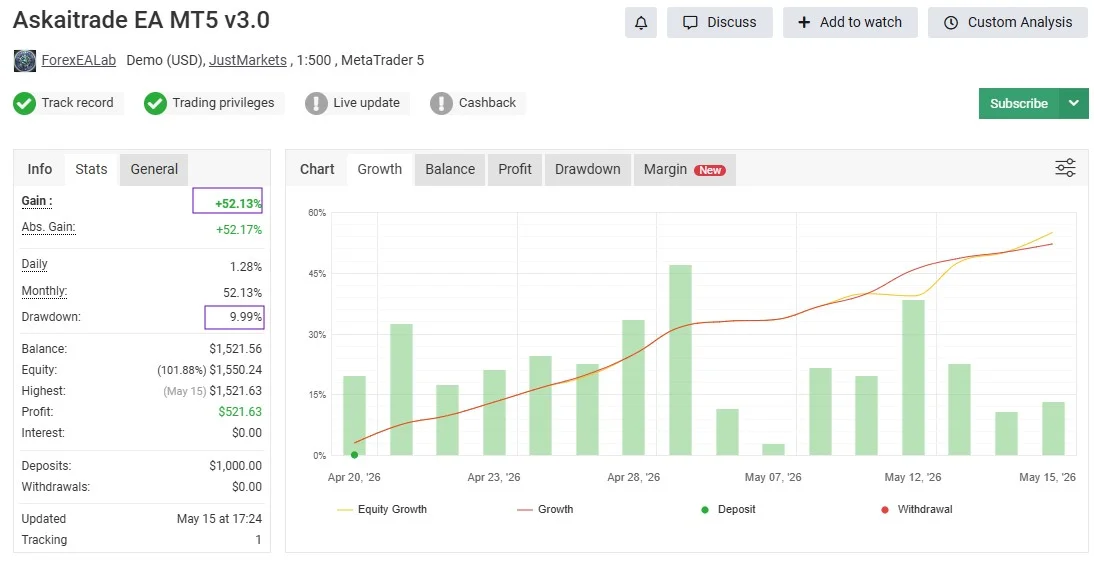
Based on the tested account performance:
- Gain: +52.13%
- Drawdown: 9.99%
- Profit: $521+
- Trading Pair: XAUUSD
- Platform: MT5
You can verify the live performance here:
Myfxbook Verified Results
Recommended Broker Setup
For the best performance, I recommend:
- ECN or Raw Spread Broker
- VPS Hosting
- Low latency execution
- MT5 platform
- Gold trading enabled
Recommended leverage:
1:5001:500
Is Askaitrade EA MT5 Worth It?
If you are looking for:
- Automated Gold trading
- Low drawdown MT5 EA
- XAUUSD scalping strategy
- Smart recovery trading system
- Beginner-friendly Forex robot
Then Askaitrade EA MT5 is definitely worth testing on a demo account first before moving to live trading.
Like all Forex EAs, proper risk management and VPS stability are important for long-term performance.
Final Thoughts
After testing Askaitrade EA MT5 with these settings, I found the EA to be relatively stable for Gold scalping compared to many aggressive grid systems available online.
The combination of:
- News filtering
- Session filtering
- Sideway detection
- Controlled lot multiplier
helps improve trade quality and overall account protection.
If you want to try this EA yourself, you can get it here:
For support and setup help:
Telegram: @MY4systemsofficial
join telegram channel link – Here